
Use 4 Time Blocking Tricks- Double Your Productivity
It’s 5 p.m. You’ve been going since you sat down this morning. And yet… the three things that actually mattered? Still sitting there, untouched. Meanwhile your to-do list somehow got longer.
I know that feeling well.
Here’s the thing nobody tells you: it’s not about working harder. A to-do list is great at telling you what to do, but it’s silent on when — so your day just gets hijacked by whoever shouts loudest in your inbox. By the time you finish this, you’ll know how to use time blocking techniques to hand every important task its own slot on the calendar, protect that slot like it’s a doctor’s appointment, and actually clock out feeling like you did something real.
I’ve run my whole week like this for years now. Below are the techniques that stuck, plus a template you can steal in about two minutes.
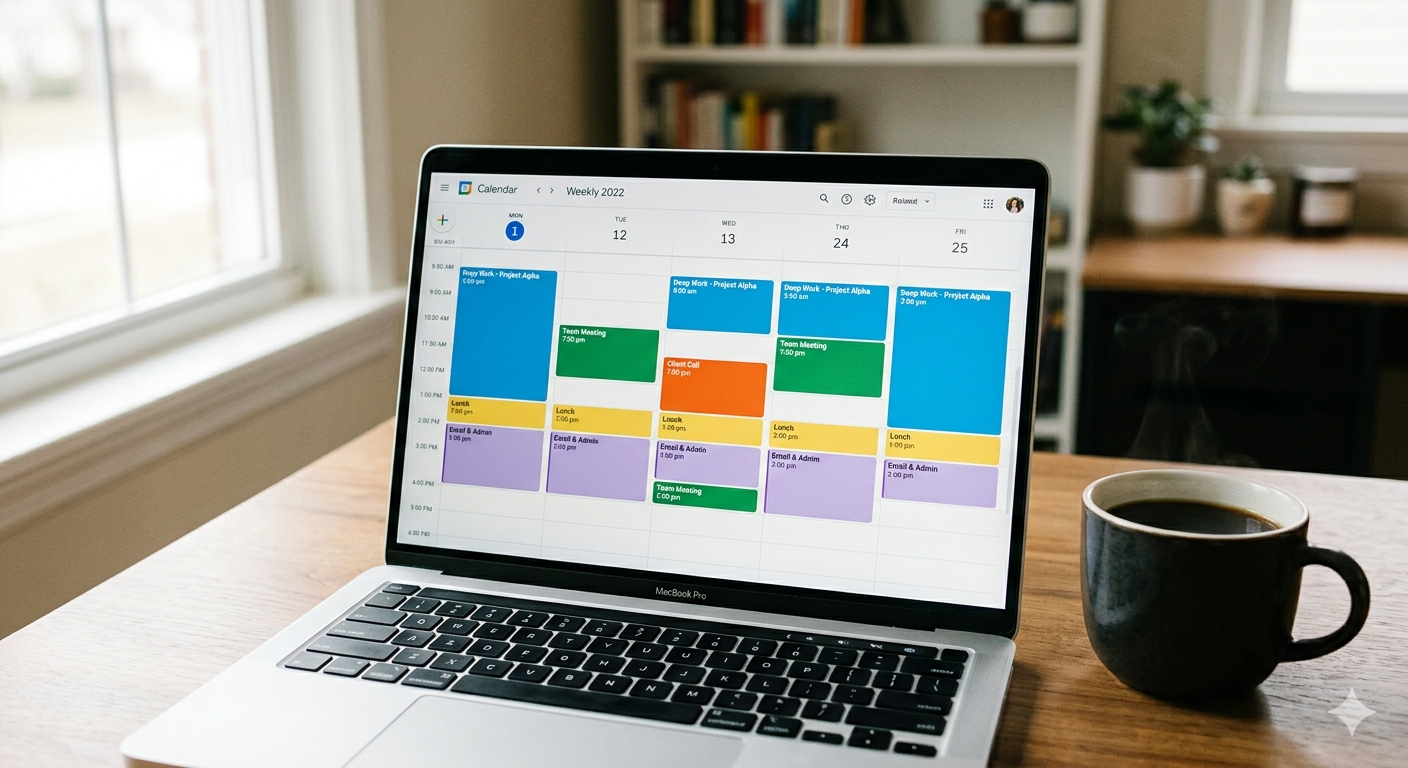
So what is time blocking, really?
You chop your day into chunks. Each chunk gets one task. That’s it.
Instead of staring at 14 floating to-dos, you’ve got a calendar where 9:00 to 10:30 says “Draft the proposal,” and nothing else is allowed to elbow its way in. Simple idea. The magic, honestly, is in the discipline you build around it… which is what these four moves are about.
How to use time blocking in four moves
Identical rhythm for each one: here’s the problem, here’s the fix, here’s exactly what to do, and here’s the little win you’ll feel almost right away.
Stop planning in your head — dump it, then block it
Your tasks are scattered everywhere. Your head, a sticky note, two different apps. That mess is why you feel underwater before you’ve even started.
Dump everything into one list. Then drag the important bits straight onto the calendar.
- Set a timer for 10 minutes and write down every task, errand, and nagging little thought rattling around up there.
- Star the three that’d make today feel like a win.
- Open your calendar and give each of those three a real start and end time — ideally tomorrow morning, when your brain’s still fresh.
You’ll wake up tomorrow already knowing your first move. No staring into emptiness with your coffee, wondering where to begin.
Stop switching constantly — batch your work
Answer an email, tweak a slide, take a call, back to email. Every switch costs you a few minutes of “wait, where was I?” And those minutes add up fast — research on task-switching suggests it can drain as much as 40% of your productive time.
Group similar stuff together so your brain can stay in one gear for a while.
- Sort your usual work into buckets — deep work, calls, admin, email.
- Build one block per bucket. Email from 11:30 to 12:00 and again at 4:00. Nothing in between.
- Tell people when you actually reply. Once they stop expecting an instant answer, you stop feeling guilty about not giving one.
Pull email into two time blocks, and you’ll get back all those scattered little check-ins that used to chip away at your morning.
Stop running late on yourself — leave some air
Your schedule appears gorgeous on paper. Then a 30-minute call runs to 45, and the rest of your day topples over like dominoes.
Leave 15 minutes of breathing room between blocks. That’s it.
- After every meeting, drop in a 15-minute catch-up gap.
- Only plan about 80 percent of your day. Life arrives uninvited — leave it a chair.
- Finish a block early? Pull the next thing forward instead of drifting onto your phone.
The first time a meeting overruns and your day doesn’t fall apart… you’ll feel it. Genuinely.
Stop protecting nothing — guard one deep-work block
Your best work — the thinking, the writing, the building — keeps losing to “quick” interruptions that are never actually quick.
Wall off one 90-minute block a day for your hardest task. Treat it like a meeting you can’t cancel.
- Pick your sharpest window. For most of us, that’s mid-morning.
- Block 90 minutes, name it after the real task, and flip your status to Do Not Disturb.
- Close the inbox. Put your phone in another room. Not face-down — gone.
One protected block usually outproduces the four distracted hours wrapped around it. You’ll see it the very first day, and it’s a little startling.
Steal this time blocking template
Drop this onto tomorrow’s calendar and fill in the blanks. It’s built straight from the four moves — bend the times to fit your own life.
Don’t let it fall apart on day one
Here’s where most people trip. They build the perfect schedule, blow it by 10 a.m., feel like a failure, and quit. Please don’t do that.
The point was never a flawless day. It’s a deliberate one. When life barges in, just slide your blocks around — don’t delete them. Honestly? Two weeks of messy, imperfect time blocking will increase your productivity more than another month of doom-scrolling a to-do list ever could. And once these techniques start to feel automatic, stacking a few advanced ones is what actually lets you double your productivity… instead of just feeling busier all the time.
- Newport, Cal. The Time-Block Planner: A Daily Method for Deep Work in a Distracted World — the originator of the modern time blocking method.
- American Psychological Association. Multitasking: Switching Costs — research on the hidden cost of jumping between tasks.
A task without a time slot is just a wish. So put it on the calendar — and then defend it.
Take It Further
Want to Master Your Focus With Unconventional Logic? Stop surviving your days — start mastering them.
Grab Time-Expanding Hacks